Kling 4.0, Seedance 2.5 and Veo 3.1 are the three AI video models most creators are talking about right now. All three can make a video with sound from a few lines of text. All three look great in their own demo reels. So which one should you actually use for your ads?
The real answer is that they are good at different things. This post compares them in plain words: what each one does best, where it struggles, what it costs, and which one to pick for product ads, story ads, UGC and short hero shots.
Specs and prices were checked in November 2026 and change often. Some links in this post are affiliate links. If you sign up through them, I may earn a small commission at no extra cost to you.
The short answer
| If you want to make | Pick | Why |
|---|---|---|
| Product ads with exact camera moves | Kling 4.0 | Up to 10 keyframes and steady product shots |
| Story ads with several people talking | Seedance 2.5 | Strong dialogue, many references, multi-shot scenes in one take |
| A short, very realistic hero shot | Veo 3.1 | Sharp, natural-looking 8 second clips up to 4K |
| Videos in many languages | Kling 4.0 | Built-in voiceover in several languages and accents |
| Swapping a product into an existing shot | Seedance 2.5 | Edits one part of a video and keeps the motion |
| The cheapest way to start | Kling 4.0 | Free daily credits and a plan around $10 a month |
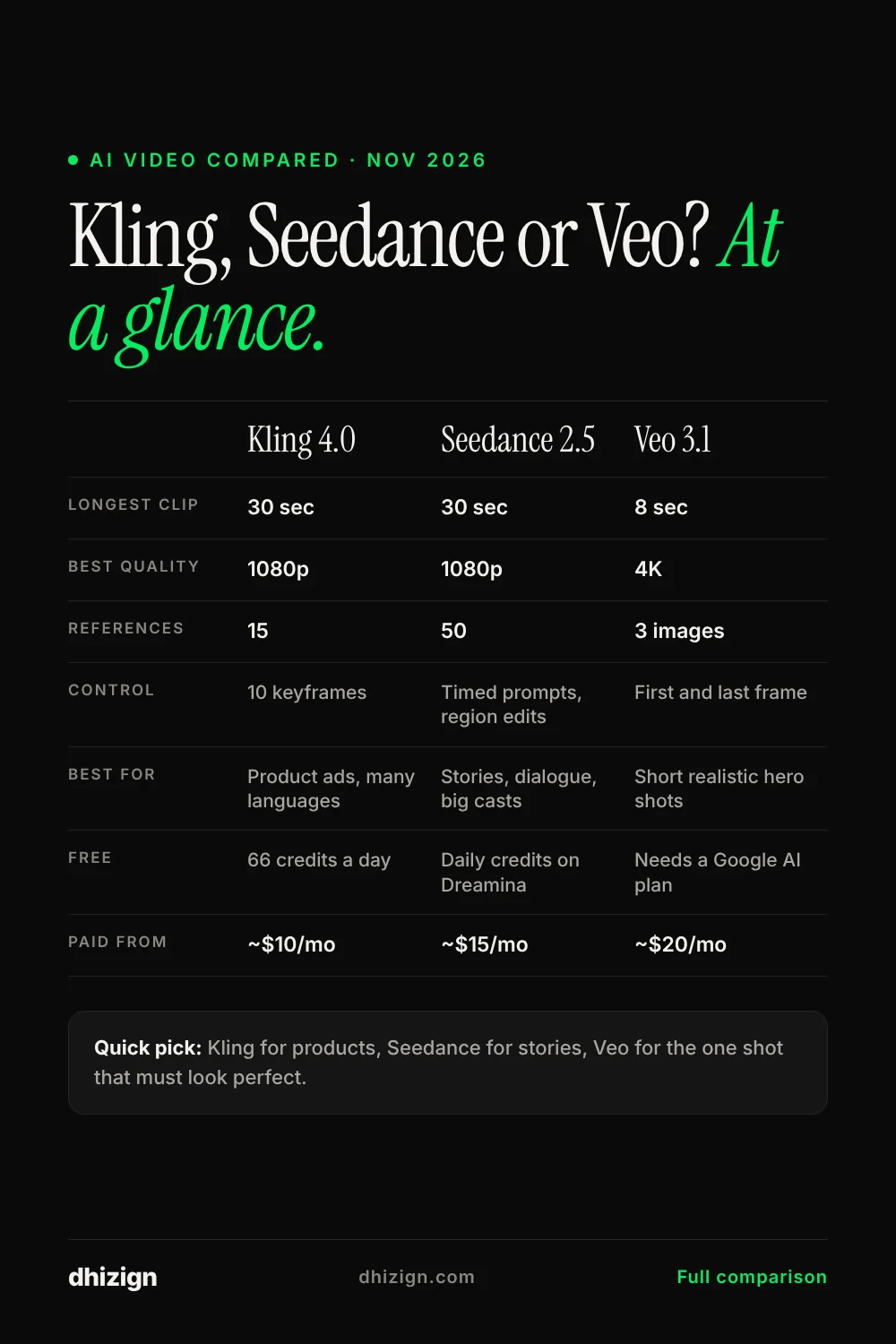
Kling 4.0 vs Seedance 2.5 vs Veo 3.1: side by side
| Kling 4.0 | Seedance 2.5 | Veo 3.1 | |
|---|---|---|---|
| Made by | Kling AI (Kuaishou) | ByteDance | |
| Released | October 2026 | July 2026 | Late 2025, updated in 2026 |
| Longest single clip | 30 seconds | 30 seconds | 8 seconds |
| Sharpest quality | 1080p (4K coming) | 1080p in most apps | Up to 4K |
| Sound | Stereo sound and voiceover | Sound, music and dialogue | Sound and dialogue |
| Reference images and videos | Up to 15 | Up to 50 | Up to 3 images |
| Control over the story | Up to 10 keyframes | Timed prompts and region edits | First and last frame |
| Where to use it | Kling app, OpenArt, Higgsfield | Dreamina, OpenArt, Higgsfield, ImagineArt | Google Flow, Gemini API |
| Free option | 66 credits a day | Free daily credits on Dreamina | Limited, needs a Google AI plan |
Kling 4.0: best for product ads and control
Kling 4.0 launched worldwide in October 2026. The big change is length and control: one clip can now run up to 30 seconds, and you can set up to 10 keyframes, which are still images that tell the video where to be at a certain moment. For ads, that means you can plan a shot list and Kling follows it.
What it does best
- Steady products. Bottles, shoes and jewellery keep their shape and logo well through camera moves.
- Keyframes. Plan the opening, the middle and the final frame yourself.
- Many languages. Voiceover and lip sync in several languages with accent options.
- Wide formats. 9:16 for Reels, 16:9 for YouTube, 1:1 and even 21:9 for a film look.
Where it struggles
- 4K and the longer two minute extension were still marked as coming soon when this was written.
- Fewer reference slots than Seedance, so big casts are harder.
What it costs
On the Kling app, a second of 1080p video uses about 15 credits, and 720p uses about 10. The Standard plan is around $10 a month for 660 credits, so roughly 44 seconds of 1080p video. Pro is around $37 for 3,000 credits. Everyone gets 66 free credits a day.
Seedance 2.5: best for stories and big casts
Seedance 2.5 comes from ByteDance, the company behind TikTok and CapCut. It was released at the end of July 2026. It makes one continuous clip up to 30 seconds, can follow up to 50 reference images, videos and sounds, and can build several shots inside one take. In blind viewer votes on Artificial Analysis, Seedance models ranked at the top for text-to-video in November 2026.
What it does best
- Stories with dialogue. Several characters talking, reacting and moving in one scene.
- Huge reference library. Feed it your characters, sets, products and even a voice clip.
- Region editing. Swap a product or background in a finished shot and keep the same motion and light.
- Timed prompts. Tell it what happens at second 5, second 12 and so on.
Where it struggles
- ByteDance itself says complex physical motion can still go wrong, like fast sports or many people touching.
- It costs more per second than Kling on most apps.
What it costs
On Dreamina, ByteDance’s own app, Seedance 2.5 uses about 37 credits per second at 720p. The Basic plan is about $15 a month for 1,575 credits, which is roughly 40 seconds of Seedance 2.5 video. Dreamina has been running a big first-month discount in the US. You can also use it with your existing credits on OpenArt, Higgsfield and ImagineArt.
Veo 3.1: best for short, realistic hero shots
Veo 3.1 is Google’s video model. Its clips are short, only 4, 6 or 8 seconds, but they look very natural and can go up to 4K. It is great for the one shot that has to look perfect: a product hero shot, a face close-up, a landscape opening.
What it does best
- Realism. Natural light, skin and water on short shots.
- High quality. 1080p, with 4K on 8 second clips.
- Start and end frames. Give it the first and last image and it fills in the motion.
- Fast and cheap modes. Veo 3.1 Fast and Lite cost much less for drafts.
Where it struggles
- Short clips, so a 30 second ad needs four or more clips joined together.
- Only up to 3 reference images.
- In the Gemini app, Google now uses its newer Gemini Omni Flash model for video by default, so use Google Flow if you want Veo 3.1 itself.
What it costs
In Google Flow, a full quality Veo 3.1 clip uses about 100 credits, Fast uses about 20 and Lite about 10. Google AI Pro is about $20 a month and includes 1,000 Flow credits. Developers pay about $0.40 a second for full quality and $0.10 for Fast.
What a 30 second ad really costs
Credits are confusing, so here is the same job on each tool: one 30 second ad, made in one go, no retries. In real life you will make two or three versions, so multiply by that.
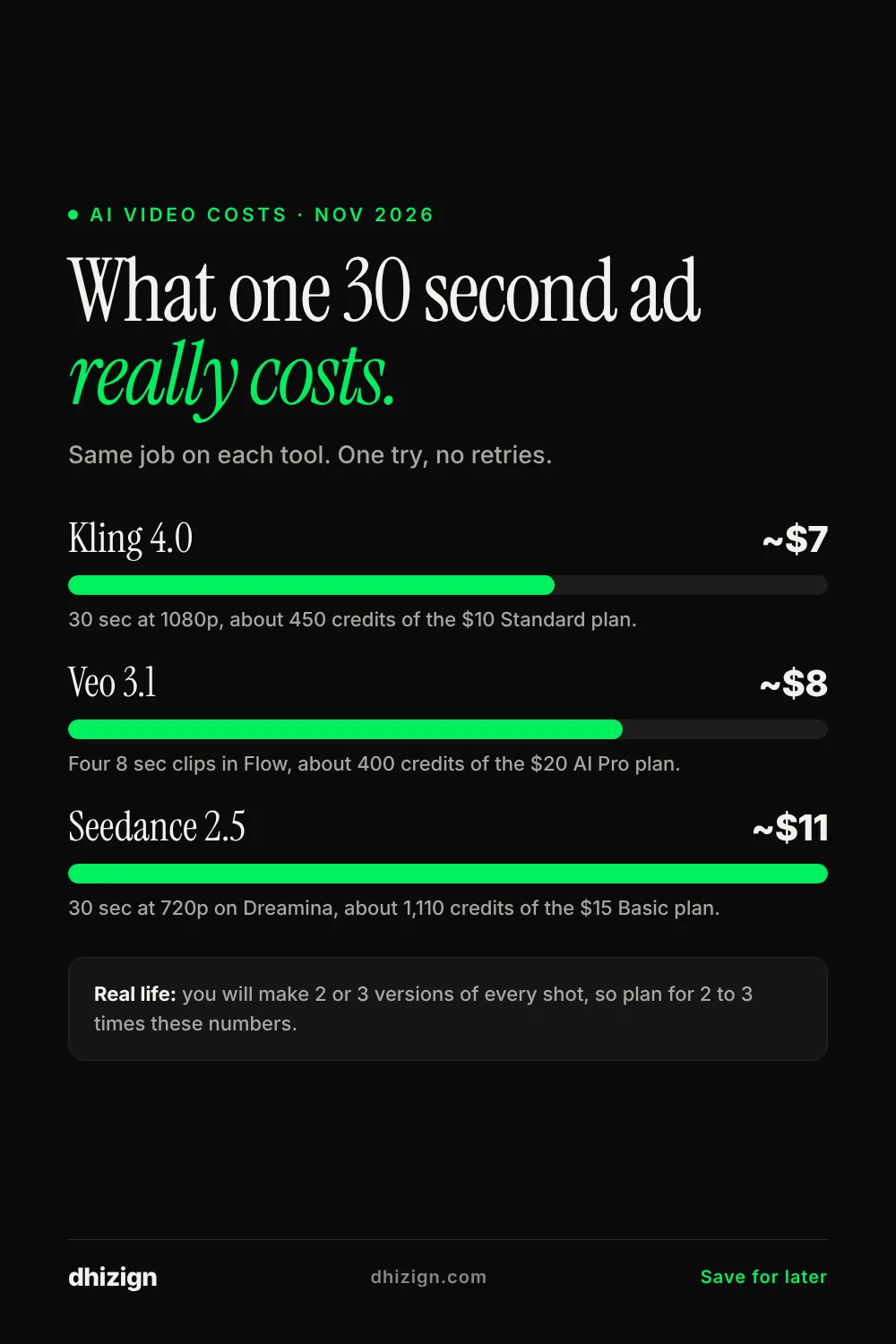
| Tool | How it adds up | Credits | Rough cost |
|---|---|---|---|
| Kling 4.0 (1080p) | 30 seconds x 15 credits | About 450 | About $7 of the $10 Standard plan |
| Seedance 2.5 on Dreamina (720p) | 30 seconds x 37 credits | About 1,110 | About $11 of the $15 Basic plan |
| Veo 3.1 in Flow (full quality) | 4 clips of 8 seconds x 100 credits | About 400 | About $8 of the $20 AI Pro plan |
Which one should you use?
For product ads
Start with Kling 4.0. Keyframes let you plan the reveal, and products stay steady. Use Veo 3.1 for one extra-sharp hero shot if you need it.
For story ads and micro dramas
Use Seedance 2.5. It keeps several characters consistent and handles dialogue well. My Across the Hall episodes are all made this way.
For UGC-style ads
Seedance 2.5 or Kling 4.0 both work. Seedance feels more natural for talking to the camera; Kling is better if you need the same ad in several languages.
For a short opening shot or a landscape
Veo 3.1. Eight seconds is enough for an opening, and the realism is hard to beat.
If you only want to pay for one thing
OpenArt and Higgsfield both give you Kling and Seedance in one account, so you can switch per shot without two subscriptions.
Run the same prompt on all three
The best way to choose is to test with your own product. Paste this into each tool, change the product, and compare the results side by side.
Use the uploaded product as the exact product. Opening shot: a single drop of water lands on the product and rolls down slowly, macro shot. Camera pulls back to show the product on a dark stone surface, soft morning light from a window on the left. Slow orbit around the product. Final shot: the product centred and still, the light catching the label. Keep the shape, label and colour exactly the same. Clean, premium, calm. Soft ambient music.Look at three things: did the product stay the same, does the light look real, and is the ending clean enough for a logo. Whichever wins on your product is your tool.
Common questions
Is Seedance 2.5 better than Kling 4.0?
For stories and scenes with several people, often yes. For product shots and planned camera moves, Kling 4.0 is usually easier to control. Many creators use both.
Is Veo 3.1 worth it if clips are only 8 seconds?
Yes, for the shots that must look perfect. Most ads are built from short shots anyway. Make the hero shot in Veo and the rest in Kling or Seedance.
Which one is free?
Kling gives 66 free credits a day and Dreamina gives free daily credits for Seedance. Veo 3.1 mostly needs a paid Google AI plan.
Can I use the videos in paid ads?
Yes, on paid plans that include commercial use. Free plans usually do not. Check the terms of the app you use, since Kling, Seedance and Veo are sold through many different apps.
Will these prices change?
Almost certainly. I update this post when prices or models change. The date at the top tells you when it was last checked.
Pick one and make your first ad
Do not wait for the perfect tool. Pick the one that matches what you make most, run the test prompt above, and make one real ad this week.
Need prompts to start? The 20 Christmas and New Year ad prompts are ready to copy, and the free prompts library has many more. Want an ad made for your brand? Tell me about your project.